I am happy to inform you that a special site for games has been created. Named Digamingme, on https://games.digressingme.cool (or simply click the button in the top menu).
This time the site is still empty (but not that empty). However, we will be making continuous updates here.
Some games that have been included can be used to fill the spare time with a good cooperation with third parties. Most of the games need Flash Player, so make sure that you allow Flash Player to run on your web browser.
I also hope for those who want to cooperate to not hesitate to contact me.
In the last article, I was talking about cool Chromebook games that run natively on Chromebook. By native means, all you have to do is install the game and play. No need to visit any other website. That is super cool. On the other hand, there are also tons of great games available online. These games are not natively played on our Chromebook, but run on their server instead. We call this Chromebook web games or currently known with the term progressive web apps. Chromebook Web Games often offer much more complex gameplay and graphics.
The pros of playing this game are… more complex games, better graphics and most of the games are good if you have a good luck finding it.
Why? Because some of them are displaying a picture of non-actual gameplay, but a good looking matte painting instead. You can find out by reading most of the reviews before installing. The graphics are mostly better than those run natively on our Chromebook because it’s like running a virtual desktop.
The cons are… we have to be online to play it, and sometimes even in order to be able to save our progress. That means you will lose all your progress when suddenly your internet connection died. And sometimes we can only play them in very minimal setting due to a bad internet connection.
This is my list of Good Chromebook Web Games:
Arcane Legends
This is my favorite game of all Chromebook Web Games out there. With its MMORPG slash and hack style, we can level-up our character (and pets!) from zero to hero just like playing Diablo. There are there characters and three class to choose. It doesn’t follow the traditional D&D rule by introducing us to the new class to choose. The gameplay itself is very comfortable to play at our own pace, no hurries. Very suitable for a casual gamer such as myself.
Interland is a game made by Google itself. It should be good, right? Categorized as an educational game doesn’t make this game too easy to beat. In fact, there are many adults who still need this education. Just check the video below before you try it for yourself:
To make the most of the Internet, kids need to be prepared to make smart decisions. Interland is an adventure-packed online game that teaches the fundamentals of digital safety and citizenship through hands-on practice. Parents and educators can find additional resources, including a robust classroom curriculum, at g.co/BeInternetAwesome.
Remember the epic scene from Raiders of The Lost Ark when Indiana Jones was being chased by a boulder? This scene inspired many movies and video games after. In La Mole, what happens is the opposite. You are the boulder, in this game called Mole. Just check the video below:
It can be a fun game if you’re playing with your friends and bet on who can catch the man faster.
Kings Road is one the best Chromebook web games on the store. It’s a slash and hack game such as Diablo. I was being pessimistic before I played this game. I thought it’s just another well-illustrated games that don’t show the real screen capture of the game. But I was wrong! Just check the video below:
This is also a Chromebook Web Games that I can’t believe can be found in Chrome Web Store. I’m playing this with my son when he’s not too busy playing Mobile Legends.
Chromebook Games: When I was talking about games, Chromebook games were always the one I left out. Let me correct the last word, what I meant was “we left out”. Chromebook is not a platform focusing on games, it focuses more on user-friendly internet user. It regularly comes at the cheaper price, thank’s to the lightweight Chrome OS that makes running virtually everything smoothly. Besides, who hasn’t used Google Chrome since its released for Windows back in 2008? And THAT what makes Chrome OS user-friendly. Enough blah blah blah, let’s get to the list of Chromebook Games I Didn’t Know Were This Good.
First, I wanna tell you that I will divide this section in two. The first is the games running natively on Chromebook and the second is the one running on its website.
Chromebook Games That Run Natively on Chromebook
Happy Friday
This game has Super Mario and Sonic feel, but not really. It takes more skill even in the first level. We have to conquer the terrain using jump, double jump and even jump and hold to reach places. A must-have!
Pro: Quick installation.
Cons: Quite intimidating for a 1st-time player like me.
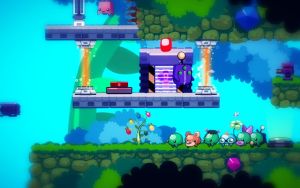
So Many Me” is a 2D puzzle platformer starring Filo and his band of misfit clones as they attempt to save a world threatened by an ancient, malevolent evil. Using their combined powers, Filo and his fellow Me must puzzle their way through a land of exotic creatures, devious traps, and evil minions.
Pro: Easy but not that easy with interesting story-line and cute original character. Reminds me of Blob.
Cons: The demo version only allows 80% of the screen. Which in my opinion is kinda lame, even for a demo.
This game is more to intimidating than challenging to me. It comes with a horrific atmosphere, just like the one brought by Limbo.
You control Blink, funny little creature that collects lost soul-fragments of his friend. But dangerous machines don’t like this idea and tries to stop Blink. Run from killing buzzsaws and watch for every step…
Acer Spin 11 might confuse you with the similar product launched last year, Flip C213. That’s acceptable since, well… they both are the same. The difference is that last year’s product was targeting educational market only. Comes with two processor option, quad-core, and Celeron.
The Chromebook Spin 11 has selections for quad-core Pentium or Celeron processors, two USB-C 3.1 ports, Google Play support, and an 11.6-inch touchscreen at a resolution of only 1366 x 768 — though at least the panel is IPS. Acer claims up to 10 hours of battery life.
What’s innovative is backer for inexpensive Wacom styluses and what Google is calling a “World View Camera,” which is to consider a camera that is meant to be used when the Chromebook is in tablet mode, and Google says students will be able to “turn it into a microscope.”
Let’s Watch Acer Spin 11 Review
This is last year video, but like stated above. They’re both basically the same.
Finally, I found a game that actually let me play directly to the game. No registration, no loading time. As simple as installing and start playing. I don’t care if it has no sounds since I’m playing it while playing my favorite YouTube channel anyway. Give Gosquares a try, it’s a good game for killing time. Still would be better if I can play it offline.
Gosquare mission is to step on the boxes according to the sequence you have to memorize. You can get Gosquares here.
I guess today is my reunion day with my Chromebook, well… my Chrome OS actually. This is the first day that my Chromebook is run by Chrome OS again after months of experiments. I tried to look into the games section and quite surprised when I saw that there are more games than the last time I opened Chrome Web Store. And what caught my sight was Incursion 2: The Artifact.
Unfortunately, some games aren’t polished to perfection (yet?). I don’t know if it’s in Beta phase or something. Without trying to sound cynical, I can say that gaming on Chromebook is still worse than gaming on Linux or Mac. I just feel like it takes too much effort to play a single game. I would rather download the game and install it on my computer to play it rather than waiting for it to load.
Incursion 2: The Artifact is a strategy game that reminds me a lot of Tower Defense I played on my 2.5″ Android phone.
Please watch the video, I didn’t accelerate the speed so you can “enjoy” the waiting too. >;p
Here Is The Process I Went Trough to Play Incursion 2: The Artifact
What bothered me (besides how I lost my temper waiting to play) was the fact that it had to open another browser to display this game. I found it cluttering. But, since this game looks promising, I kept waiting after all.
I always love everything in post-apocalyptic theme. Book of Eli and Mad Max are the perfect movie examples. Fallout is the perfect example of the game also on the same theme. I wish I could say the same about Wasteland, but it felt choppy when I played it (but maybe that’s just my computer specification). And just now, I just found The Outbreak, a game in post-apocalyptic theme in the Chrome Web Store.
It was great in presentation, but sadly I can’t say the same about the gameplay. I can play this kind of strategy game like I used to play the game on Facebook back in 90’s, but now it’s just not my cup of tea.
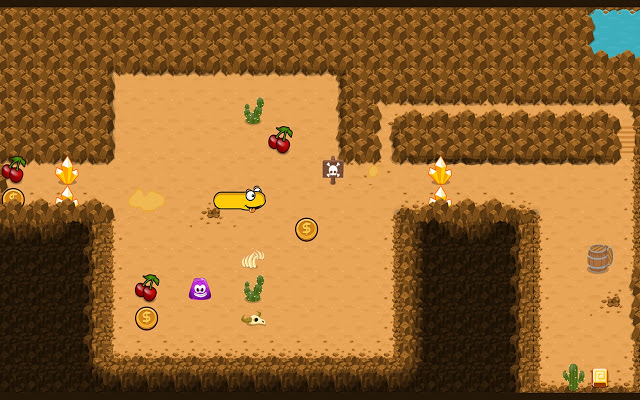
Sneaky Snaeky Go is a Chromebook game you can play offline. With the gameplay that highly influenced by the classic mobile game, Snake.
We might know Snake from Nokia, the pioneer who brought gaming to the mobile devices.
With the addition of fun storyline about the main character who was put in quest re-collecting the gold coins stolen from his house, this game will make your “no-internet” experience less miserable.
But, it has no sound when I was playing this. Maybe a quick restart can solve the problem. Or maybe because I’m using unstable version of Chrome OS update?
In the era when almost everything can be used online, sometimes we stumble on the situation where we’re out of service area. Out of service area means that we have no connection to the internet. This is not the end of the world (even if it feels like it is). There are some offline games we can play on Chromebook and other computers with Chrome browser installed. The sad thing is… we still need the internet connection to add these game extensions to our Chromebook. So, here is the list of what to play offline:
You need steady aim to match like-coloured marbles in this Zuma-like puzzler. Shoot marbles using the mouse, but be quick about it.
Destroy marbles by forming groups of at least three marbles of the same colour. Aim and use mouse click to shoot the marbles. Press spacebar to swap the colour of the marble to be shot.
While the graphic is far from amusing, Marble Lines can help you survive until the next wifi stop.
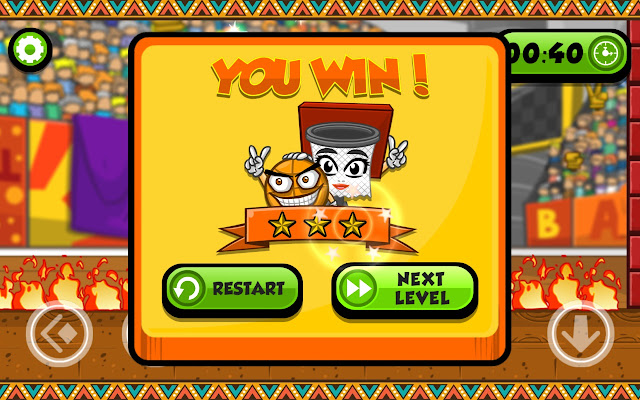
Lead the living ball into the jolly basket in this unique basketball arcade game!
Basket & Ball is a free arcade game set on a basketball court. Control the rebel ball with touches or keyboard and lead it into the basket! Dribble the ball by pressing space or tapping the jump button. Pass through obstacles and perils scattered through the court and solve puzzles to achieve victory! Avoid spikes and fires, extinguish the flames in waters, propel the ball with springs and trampolines and run away from levitating police robots armed with tazers! Put your reflexes and wits to test on 55 levels of crazy basketball fun! Excel in sports and win shootout challenges where the player has to show some good throwing precision to hit the basket at least once out of 3 throws.
Gather stars and pick up game changing bonuses scattered across the basketball court. Use the time stopping bonus to make the ball stop in mid-air and relaunch it wherever you want! Pick-up gravity inverting bonus to be able to reach impossible spots next to the ceiling. Turn the ball into stone and roll it through spikes and fires with the stone bonus. Give it some extra bounciness with the pump bonus to reach better heights and bounce of doughy surfaces. Enjoy the soundtrack from late 80s and the crowd’s emotional cheering as you make your way through this unusual sports arcade game. If you run Basket & Ball on a touch enabled device, you can enable/disable touch controls in the options menu. Select “Smaller Controls” for bigger screens.
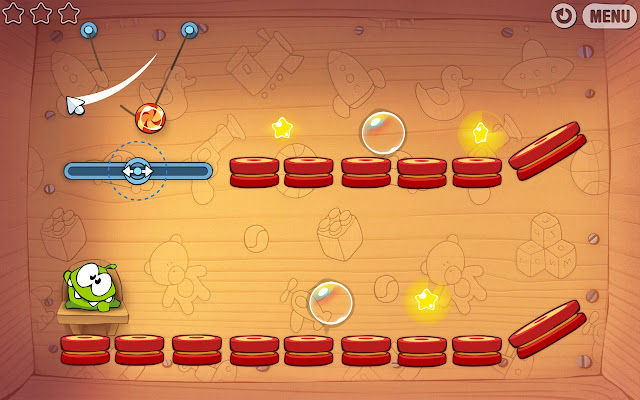
Cut the Rope, catch a star, and feed Om Nom candy in this award-winning game!
A mysterious package has arrived, and the little monster inside has only one request… CANDY! Collect gold stars, discover hidden prizes and unlock exciting new levels in this addictively fun, physics-based game!
This is the game that everyone should play at least once in their life
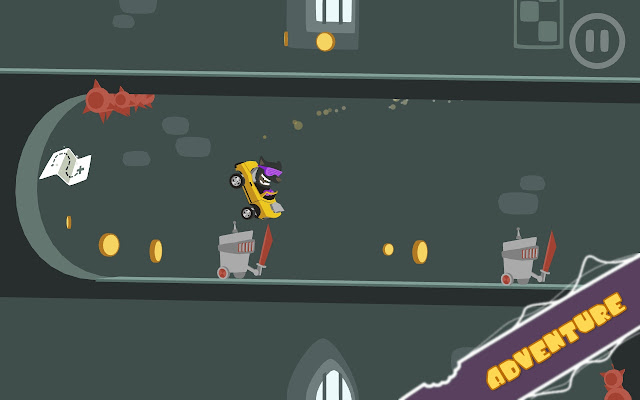
Enter a wild race to save your missing friends. ☆ Dodge prickly obstacles ☆ Smash lots of pesky robots ☆ Collect coins to drive new karts ☆ Find maps to unlock all characters ☆ Race your best time in 56 dazzling levels
That’s it for now, I’ll keep this page open for new updates…
Nords: Heroes of The North adalah game yang bisa dimainkan di Chrome, game yang tujuannya bertahan dan menyerang ini disajikan dalam kemasan grafis yang memukau.
Ratu Es datang! Apakah Anda memiliki apa yang diperlukan untuk mempertahankan Shingård dari ancaman terberatnya?
Selamat Datang di Shingård, Lord Marshal! Kami sangat membutuhkan pahlawan akhir-akhir ini, dan Anda terlihat sangat cantik! Memang, kita punya penguasa, Raja Björn si Keren, tapi dia sering ditempati di rumah Ale. Yang meninggalkan pekerjaan menyatukan Orc, Elf, Utara, dan Naga melawan ancaman terbesar Shingård kepada Anda.
Sejajarkan diri Anda dengan Strongholds lainnya – atau bertarung melawan mereka – saat Anda mempertahankan diri melawan Ratu Es dan legiun mayatnya dan berjuang untuk menguasai Shingård!
Bangun Stronghold Anda, naikkan tentara, tandatangani Pepatah Darah dengan tanah yang jauh, dan tunjukkan kekuatan Anda terhadap Lord Marshals yang saingan dan pelayan mengerikan dari Ratu Es!
Ok, lebih baik saya coba memainkannya dulu sebelum berkomentar terlalu banyak. 😀
Kesan Setelah Main
Setelah mencoba bermain, ternyata ini adalah model game di mana kita harus mengkuti banyak langkah untuk mencapai sesuatu. Misalnya, membuat tentara harus mengumpulkan Fire Ale dahulu, kemudian blablabla…
Jujur saja ini merupakan tipe game favorit saya dulu. Sekarang rasanya agak terlalu berbelit-belit kalau harus menghafal begitu banyak langkah. Hmmm, ada gak ya game yang betul-betul keren untuk dimainkan di Chrome? Berarti pencarian saya belum berakhir. Tapi kalau masih mau coba main, boleh invite saya di sini. Sepertinya lebih menyenangkan kalau dimainkan bersama-sama.


 [edsanimate_end]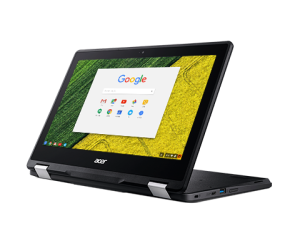
 We might know Snake from Nokia, the pioneer who brought gaming to the mobile devices.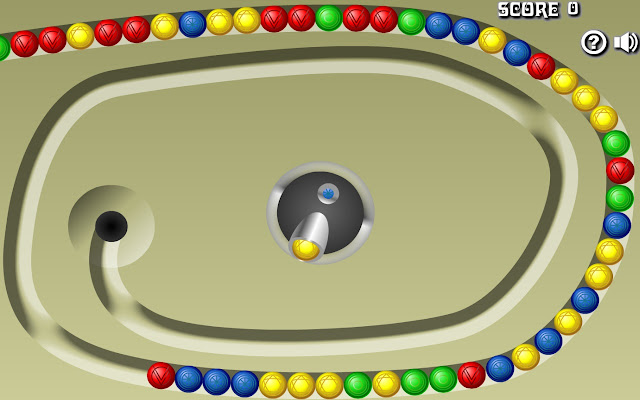

 Ok, lebih baik saya coba memainkannya dulu sebelum berkomentar terlalu banyak. 😀
 bipolar is-popular_