
Hi, now we’re going to talk about the most effective Google Ads for website placement. There are many tutorials that discuss where to put ads, even Google itself. But how to make the ads that we put in strategic places that work well?
In order to make the learning process easier, I highly recommend you to read the previous articles below:
Maximize the use of WordPress widgets and themes.
Google AdSense Match Content Unit.
Done? Let’s Move to Google Ads for Website Placement
If we are discussing advertising, then we will agree that as good and expensive as an ad will be meaningless if it can not be seen. In addition to making the ad not reach the target, the ad also means die from circulation. Often I see an ad, but it turned out that the ad reached me when the validity period is up. Usually, this is found in discount ads or events that are not routine. Of course, this is detrimental to advertisers and also to us as publishers are “forced” to give up our advertising columns used by useless advertisements. And Google also assumes the same. Google will not put high-value ads on websites that have low traffic.
Well, how to make ads that appear on our web pages hit the target? Let’s look at the illustrations below:
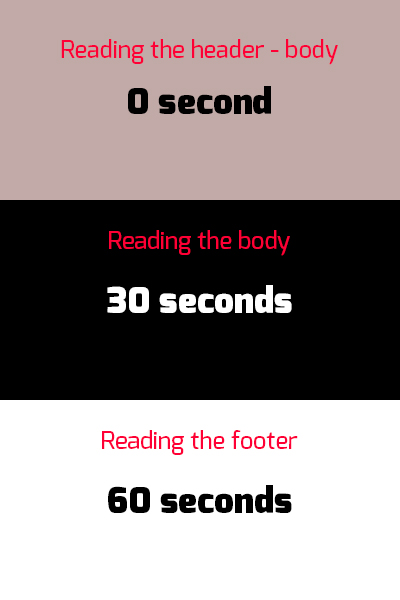
This is the time spent by your reader while reading your article
(The number made for illustration only. Actual time may vary, use a proofreader to get the actual estimation):
And these are the suggested Ads placements:

Both combined:
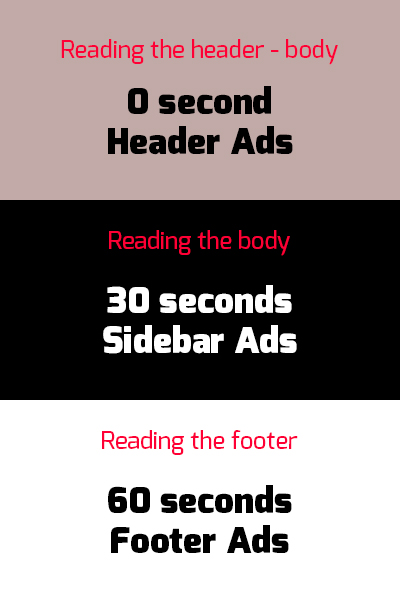
Look how fast your readers pass through the ads that have been put in these strategic places. Which means, these ads will not give more earnings (except when clicked, this is called with the term call to action). Relying on earnings per thousand impressions it will be difficult in this way. For that, we rely on the duration of impressions.
How to do it? The illustration above supposed to be self-explanatory. But to make sure we do not misunderstand, it’s good if I explain.
The trick is to “intercept” the reader in the area where we have placed the advertisement. This can easily be done using in-feed ads. Right. But it would be easily missed if the reading material does not “intercept” the reader.
Let me give you another illustration using a modified illustration from above.

This is the time spent by your reader after we put the “traps”. Don’t think anything negative or using creepy stuff, that will only make your reader leave and look for another web to find what they need. Well, unless you have one of a kind website, I think this method will work. But, I still won’t encourage you to do that.
So, what kind of trap is legal for us to use? We can put tutorials, video with certain durations that we can easily ember from YouTube* and other time-consuming things. Such as how to hold breath for 60 seconds while reading and some quizzes. Have you ever been on a website that held a polling without significant result? That’s an example of a good trap. The keyword is “time-consuming”. Hold your reader as long as possible in all of your web pages.
*Also, read how to make your own video website that earns you money.
But make sure the time they spend is beneficial to them!
 bipolar is-popular_