Deeper About Deepin OS 15.5 (What’s New in Feb 2018 Update)


There are some new things happening with Deepin OS 15.5. We can get new Deepin tool and new Deepin updates. And now, we’re also going to learn more about Deepin OS and what makes it the best looking Linux distro, even better than my favorite elementary and Pop OS! You know how cool those two are, right?

Also, read about two of my other favorite Linux: elementary and Pop.

Let’s Start With New Deepin Tool


Installing Deepin and using it is very easy even for a no-brainer like me. Thank’s for its striking design and intuitive GUI which aims to provide an elegant, user-friendly and reliable operating system. And that even gets easier by the presence of new deepin repair tool, that we can use for, well… repairing deepin.

Let’s watch Deepin repair Tools in action:

Deepin Repair is a tool to help users quickly fix some issues in deepin, including:

  • boot repairing
  • hard disk detecting
  • disk cleaning
  • DPKG repairing
  • privilege repairing
  • password reset.

Deepin Repair can run on both deepin Live system and the real environment. When you can’t find boot menu, have privilege error or forgot login password, you can’t enter deepin desktop. That’s when you need to go into a Live system at first to run Deepin Repair. Sounds hassle-free, right?

Also, read about Deepin and Upin.

Deepin 15.5 Update

Background of What Deepin Is

The development of Deepin started in 2004 at a fast rate by Wuhan Deepin Technology Co., Ltd, a Chinese company. Debian is used as Deepin base while its previous versions (pre-Deepin OS15.5) based on Ubuntu.

Its desktop environment called DDE (Deepin Desktop Environment) which is based on the Qt 5 toolkit. Its home-grown applications, like Deepin Software Centre, DMusic and DPlayer and now Deepin Repair are tailored to the “average” user.

If you happen to feel familiar with the description above, perhaps because you’ve used it before when it’s called Linux Deepin, Hiweed GNU/Linux. Ring a bell?

Also, read about previous Deepin review.

What’s included in the last update:

  • DTK to version 2.0.6.1–1 fixed the issue that no “Help” entry to view manual;
  • Deepin Boot Maker to version 2.0.4.3–1, fixed the issue that it cannot start in live system;
  • Deepin Repair to version 1.0.1–1, fixed the issue that no icon shows for the directory.

Let’s watch the video below:

It is amazing to see popular Linux sites come out with lists of “best distros” and keep missing on Deepin and Manjaro. It feels like they don’t want the public to know about those. In the case of deepin, as I already read, THIS by far is the best Linux distribution I have ever tried, Extremely user-friendly, beautifully design and countless options when it comes to utilities. My only complaint with it is that the software versions on the app-market always run little behind to pretty much everybody. I had every possible thing I can think of when I installed it, everything native and available on my first run. “CROSSOVER” is a life saver. — deepin user.

Download the latest deepin OS by sharing the link below:

[sociallocker]

Get deepin OS here.

[/sociallocker]

Thank you for reading Deepin OS 15.5, I will keep the info about Deepin OS updated. Make sure you click the notification button on the lower right of your screen if you haven’t done so.
Aside

Watch Free Movies: Popcorn Time


Today I tried a new app that allows me to watch free movies called Popcorn Time. Originally, I was about to download a torrent of a movie from yts.am but apparently, I have not installed a torrent downloader on my laptop yet. I’m using Acer C720P Chromebook with the Deepin operating system.

Read about Deepin 15.5 here.

My Chromebook drive is easily populated if I have to keep the movies in my SSD and it will take too much waiting if I have to wait for the torrent to be completely downloaded.

Luckily, I got my eyes on Popcorn Time and then installed it instead of my first intention when I opened the Deepin Store. No luck with Deepin Store, so I tried using:

sudo apt-get install popcorn-time

…in the Terminal. And it worked!

The setup process was easy, but I needed to go through the password setting twice (maybe it’s just me). It can also deal with torrents you already have. This is the video to explain how Popcorn Time looks:

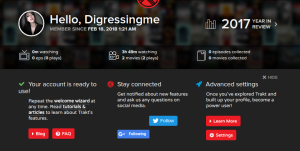
Popcorn Time can organize both the movies we’ve watched and our next movie list. We can also connect to trakt.tv to sync our movie list, review, etc.

Follow me on Trakt.

Aside

Silence Linux


Long Intro Before Silence Linux Article

I always prefer a quieter working atmosphere while listening to my favorite Megadeth songs. The point is there should be no other sound source other than the song I’m listening to. Sounds impossible? Apparently not. Because I got my way in order to silence Linux.Previously, I got this when I was still typing using the Samsung SM-P901 which until now has not succeeded I raised from death suspended. Obviously quiet, because like all tablets in general, P901 has no fan. Likewise, if I use a Chromebook that is also fanless. No sound interferes with my working atmosphere.

This concept is what I want to apply to my MacBook Pro mid-2010.

MacBook Pro is already eight years old, quite old. But with Apple’s constantly updating behavior (and unfortunately I keep trying), the work process gets heavier. For that reason, I then decided to install Deepin after impulsively removing all my Mac OSX partitions.

Why Deepin?

Deepin offers me everything I needed. That is a beautiful application and use, the installation process is not complicated, and of course, an appearance that is not shameful. We know that Mac OSX is superior because of this one (even for those who are really just users).

But…

One thing that annoys me is … I feel annoyed because it turns out the MacBook Pro fan is becoming very noisy. And I think it’s really noisy and annoying.Luckily I found a solution that does not cost me a new routine.

This is how…

Status

Running Android Apps on Linux and Chromebook For A No Brainer!


Running Android Apps on Linux For A No Brainer!

I really mean it. No brainer here means that all of the processes are doable using some clicks or taps on your touchpad. No command line, no long tutorial with trials and errors. How comfortable is that? I’m now running Android apps on Linux and Chromebook myself.

I said no long tutorials, not no long story… so this is my story… 😀

Note: I’m running Deepin on MacBook Pro Mid 2010 and Chromebook Acer c720p.

I was installing Diablo 2 using Crossover, everything was fine (except the jumpscare when the installation finished) until it asked me for a CD key. Aw, come on… this is 2018, who still keep their old game CD keys. I know I don’t. And I also forgot where I got the CD key before, but I do remember that I keep it in my Evernote when I installed Diablo 2 on my Chromebook last night.

Get Deepin here.

Not in a hurry, I decided to install Evernote as well on my Mac. Then I noticed a notification saying, “please update Google Play”.

Wait, Google Play? Is it even available here?

Still wondering, I’m trying my luck with sudo and tab in the Terminal. And yes… there they are. Some Android stuff. Then I did what I should’ve done first, checking the store. In Deepin, it’s called Deepin Store.

If you’re not running Deepin, try to go to its web store.

Also, read: List of Android Games running on Deepin.

You will find some Android Apps, ready to install. Too bad, they’re just a few. But hey, I can play more games on my Mac and Chromebook running Deepin.

Wanna know how? Continue reading here.

What do you think about running Android Apps on Linux/Chromebook or even MacBook Pro? Is it kinda beat the purpose?

Linux Deepin Reviews and Why It Is Better Than Elementary and Pop OS Pt.2


So, in previous Linux Deepin reviews article, I talked about the first experience I had installing it. Now we’ll continue into what makes it better than elementary and Pop. Don’t get me wrong, both are my first two favorite Linux distros. But there will always be on standing taller than the others, right?

Linux Deepin Reviews: Shop

In Elementary, we’re equipped with a software center where the unwritten rule is: If it’s not there, then it won’t work. So, I’ll have to sit and wait what the developers feed me later.

In Pop, we can do some “tweaking” using the command line, but the option is limited. It’s like “do at your own risk” thing.

Also, read about Pop OS here.

In Deepin Store… (inhale) we can find many apps provided by Deepin or y other developers. I haven’t tested them all, but most of them work just fine. The store design is so slick and intuitive. The apps come with screenshots. The icons fit the theme well. No wonder, Deepin has the best icons collection used by many other Linux distro’s users.

And… it has Crossover installed that allows me to run most Windows apps games.

System Setting and Launcher

Needless to say, Deepin has the best system setting called Control Panel. Without trying to copy Mac’s or Window’s looks, it’s presented to us in a way with Android feels. Somehow it reminds me of Phoenix OS.

So does the launcher, there are some options that we can choose to use the launcher according to our likes (Ubuntu, Mac or Windows).

Enough said, let’s watch the video to see how it looks:

So, what do you think after watching Linux Deepin review video? Is it debatable that it’s better than Elementary and Pop?

Or you want to know even more about deepin? Click here.

Aside

Ubuntu Studio For First Time User


I’ve been using Ubuntu Studio since I decided to run Ubuntu along-side my MacOSX and Chrome OS (yes, that’s possible). Kinda late actually since everyone else in the world has tested Ubuntu at least once in their life. So, I guess I’m not too late to try this. Or may I say that I’m actually just at the right time to test a Linux myself? The Linux my friends use looked crappy and ugly. Sounds harsh, but you know this is true.

Ubuntu STudio


No matter how good you are in programming or you can even boil an egg with a command line… when I say ugly here, I mean by the look only.


After the first install, I am starting to fall in love with Linux and started my path of searching a better (looking) Linux since then:

These are the list of Linux distros I’ve tried, it’s ordered from the one I favor the most first:

  1. Ubuntu 17.10
  2. Elementary OS
  3. Pop OS
  4. Solus
  5. Zorin
  6. Deepin
  7. Nitrux
  8. Freespire

I have also tried other flavors, you can find them using the search bar somewhere on this web. The first Linux I tried is Gallium before I walked my way installing Linux on my Chromebook using Crouton. No details will be covered here except for Ubuntu Studio, you can check the links on the list above to see more about the Linux version you want to know.

What Ubuntu Studio Offers

Ubuntu Studio is claimed to offer better multimedia production and experience. Started by changing its default theme including sounds. Optimized photo and video editing software, such as Gimp for photo editing and Pitivi for video editing. I haven’t tried any music editing software until now.

Ubuntu looks good too, just like it’s previous version (16) which is running alongside my Chrome OS right now. It’s not the best looking, but everything measured and placed just fine.

My Conclusion

So, if you are a first time Linux user like me, I’m suggesting to start with Ubuntu 17.10 or Elementary OS and Zorin OS for Mac user and Solus for Windows user. Again, for the sake of similar look only.


Status

Deepin dan Upin


I was searching more info about Deepin when Google asked me, “do you mean Deepin and Upin?” I was like, “Whaaaat?!?” Google was referring to Ipin and Upin, Malaysian famous cartoon. And now let’s get to Deepin and Upin.

I made a video of Deepin first look:

Notice how Deepin presents everything in graphics displays rather than in some terminal (which I prefer in some cases). It has some similarity with Windows 10, judging only by the chimes and the setting sidebar.

The icons are so nice to see (and they even giggle when you click them). I just love that kind of small details! That’s what makes this Linux distro distinctive from other distros that we all know are having too many similarities one to another. After fooling around for a moment, I can say that this Linux flavour might be my second favourite after elementary Os.

Native Applications

These parts are not so Window-ish, I can say that most of them are a stripped version of Mac Apps. Judging only by the multimedia apps such as Photo, video and music player. I don’t see that as degrading points. But still… with the originality they made with other aspects, I think this part is not something they can’t improve.

Chrome!

Deepin just saved my time and internet quota by giving me Chrome pre-installed. Why is it special despite the fact that I found that Chrome is my window to the world. Most Linux flavours I tested do not come with Chrome pre-installed.

Chrome is always is the second thing I install after the operating system installation finished. And that’s why I often forget what OS am I using since most of my activities are in Chrome (web browser).

Also read: How to install Chrome on elementary OS (and other Linux).

More Stories About Deepin dan Upin

There are rumours saying that Deepin is not other than a spyware that can steal your data. I can’t see why I should be concern about that since all I stash on my computer is nothing but rubbish.