Again Google issued a controversial decision. Having previously “complicated” the YouTubers by raising requirements to monetize their videos. This time Google is implementing new rules for Google Chrome users.
Google Chrome will soon block all ad impressions that are considered annoying, such as the use of auto-play video ads. This is actually a bit ironic considering Google including those who advocate the web browser users to turn off the ad blocker that they use.
For the web maker or service user of AdSense, it has been felt for a long time. Google often recommends that ads are made in harmony with the web they are hosting. In fact, Google also often analyze the ads and our web and then suggest improvements in appearance. For example, preventing stacked ads or ads that have an out-of-theme appearance.
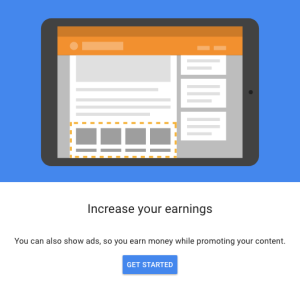
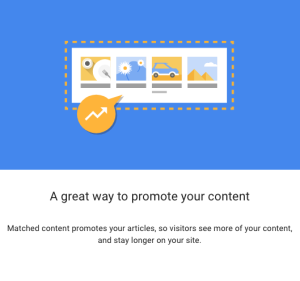
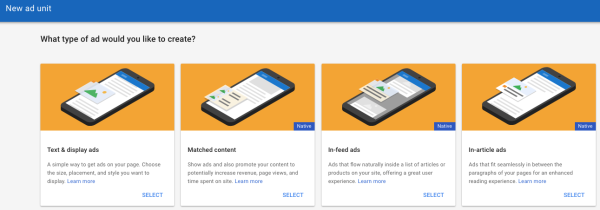
Google’s latest interference with ad creation is the Matched Content system.
The last thing is somewhat confusing to some people because the rule is against Google’s rules that require ads to look like ads. Google intent is, do not let our web visitors stuck with the ads we make as part of our article. For example, I can write this, “click the link below to know more”, but I didn’t know what Google AdSense ads will appear under this post. Meanwhile, web users most likely “fooled” by the instruction when opening the ad.
I myself think this rule is good. That way, the web that has been hard-won by the webmaster will not be “spotted” by bad ads. Web visitors will have a more enjoyable experience on the web and in addition, can also conveniently click on what they need.
And I think this will cause the possibility of web visitors to subscribe or start following.
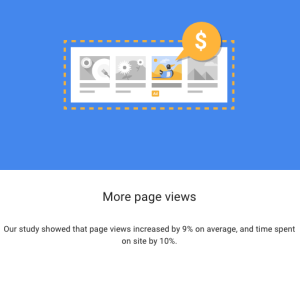
Recently this morning I bumped on the notification from Google when I opened my Opportunities tab on my Google AdSense account. I believe you can see the very same notification like mine on your Google AdSense account by going to Optimization > Opportunities. Google AdSense Matched Content Unit works like its name describes, sending you ads that matched your contents.
It’s not a new thing for SEO and SEM activist since there is also some other Ads agency offering the same advertisement method. Even before Google launched this Matched Content Unit. You can see some of them on gossips and software download websites. But, most of the contents are mostly from HOAX to some impossible life hacks, such as getting rich with a single click (if this really happens, I would be writing this article from my own planet, or an AI will be writing this… also on my own planet).
If you don’t see Matched content under “My sites” then you’re not currently eligible to use the Matched content.
On the “Matched content” page, check to see if your site is listed:
If your site is listed, you may place Matched content units on any of its pages.
If your site isn’t listed, then it’s not currently eligible for Matched content.
If at least one of your sites is eligible, you’ll see the option to create Matched content units under the My ads tab in your account.
Google AdSense Matched Content unit will also cover your subdomain. So, if you have let’s say digressingme.cool, then movies.digressingme.cool will be included as one of the eligible sites.
If you’re a publisher with multiple sites, you might find that only some of your sites are eligible for Matched content. In this case, we ask that you only place Matched content units on your eligible sites. If you place Matched content units on ineligible sites, then we won’t be able to populate the units with recommendations.
Conclusion
Basically, Google AdSense Matched Content Unit offers the same result as if we put our internal link on the articles. See the “Also reads” link I put here? But, it also enables you to monetize your link instead of merely just opening a new page.
Let’s talk about what is Material Design definition in very simple ways.
Short Version:
Material Design is a graphic design guideline made by Google consisting the “boxy shape” with the rule of margin, distance, collapsible menu, and functions.
That’s it, you don’t even have to read more than the excerpt gives you. >;)
Well, I see that you have time. So, let’s move on. If you happen to be a customization maniac like I am, then the word “material design” should sounds familiar to you. It often appears when you are browsing new themes for Chromebook and WordPress.
With its strict guidelines, the design tends to look similar one to another. But, most of them never failed to function properly. That’s because it doesn’t include unnecessary cosmetics. The user will be intuitively guided to click or hover the mouse on the box with shadow, for example.
Google adding new undersea cable to improve its Cloud service in the competition. Google is now ranked as the third after Microsoft and Amazon. TThis Google’s undersea cable will be built to connect five new regions for the company — Montreal, the Netherlands, Los Angeles, Finland, and Hong Kong.
The shortest cable is the one connecting Hong Kong to Guam, and it’s 2,400 miles (3,862km). That’s the same distance as from Hawaii to California. Mind-blown? What if I tell you that the distance from Hongkong to Guam is the same as from Guam to Hongkong?
We have covered the story about other cloud services, like Deego, Cloudbacko, andMega.
Sounds Familiar?
Isn’t that weird to use the term “CLOUD” for something that runs undersea? I know it doesn’t have to be named literally. But using two opposite words to name something just felt weird. And believe me, I often heard this “weirdness” fact from my flat-earther friends to validate his argument.
What Is It For?
Per Silicon Valley Business Journal report, Google currently has four submarine cables online and another seven are being developed. These subsea cables help in improving latency and ramp up the speed of data transfer. And according to Google, its cloud network has more than 100 points of presence and over 7,500 edge caching nodes.
The new regions along with the commissioned subsea cables will expand Google network’s footprint across the globe. The company also has a strong clientele that includes the likes of PayPal.
Among these benefits is the fact that Google will be completely in charge of the cable’s technical specifications, meaning it can meet the company’s precise data needs.
“Also, once the cable is deployed, we can make routing decisions that optimize for latency and availability,” reads another excerpt from the same January post. This spending represents approximately $30 billion USD (roughly $37.2 billion CAD) that Google has invested over the past three years to improve its infrastructure around the world.
Kadang-kadang saya bertanya-tanya sendiri apa perbedaan antara Google VS Apple selain nama merk dan logonya. Kalau kamu pernah memikirkan hal serupa, ada baiknya kamu melanjutkan membaca artikel ini dan menambahkan kekurangan artikel ini di kolom komentar atau membuat artikel sendiri dengan cara mendaftar dahulu di web ini.
Awalnya
Tenang, saya tidak akan membahas terlalu dalam tentang sejarah perusahaan ini. Saya hanya akan membahas yang sesuai dengan judul tulisan ini. 😀
Apple berawal dari garasi, sekumpulan orang yang berdedikasi untuk membuat perangkat keras berkualitas tinggi. Walaupun Steve Wozniak dan Steve Jobs mulai serius bekerjasama saat pembuatan Pong, game Atari.
Google, merupakan perusahaan yang lebih muda. Didirikan pada 4 September 1998 oleh Larry Page dan Sergey Brin. Lahir di era internet dan memulai perjuangannya dari membuat perangkat lunak.
Walaupun prototype Apple I dibuat dari berbagai macam peralatan bekas, tidak ada satupun produk yang diijinkan keluar dari garasi tanpa melalui kontrol kualitas dari Steve Jobs. Dan itu berlangsung sampai sekarang. Tidak ada satu pun produk yang akan didengar oleh calon konsumen sebelum produk tersebut betul-betul diluncurkan ke pasaran. Semua rencana dan proses pembuatan menjadi rahasia Apple.
Pernah sekali waktu Apple menarik iPhone dari pasaran karena Steve Jobs mendapati iPhone yang dimilikinya tergores kunci di kantongnya. Begitu pula ketika ada masalah dengan batere dan sinyal, saya lupa iPhone berapa itu. Silahkan browsing, Apple (terutama Steve Jobs) mempunyai banyak kisah menarik yang difilmkan.
Gaya yang berbeda diterapkan oleh Google, perusahaan ini lebih memilih mengeluarkan sistem BETA, di mana sebuah produk (software) diumumkan dan dilemparkan langsung ke pengguna sambil mengumpulkan feedback. Dari situlah Google akan memilah fitur mana yang akan dipakai dan fitur mana yang akan dibuang atau disempurnakan.
Persilangan
Di sinilah keadaan menjadi menarik!
Apple semakin mengembangkan pasarannya di perangkat lunak, sementara Google semakin mengembangkan perangkat kerasnya.
Tapi ciri khas masing-masing perusahaan tetap dipertahankan. Apple cenderung melunakan sesuatu yang bentuknya fisik. Misalnya sebuah walkman (konon terilhami dari hobi anak Steve Jobs) yang berisi kaset disulap menjadi iPod dan kini menjadi software iTunes. Editor video yang tadinya memerlukan berbagai perangkat agar bisa dilihat tanpa perlu rendering diubah menjadi iMovie dan FinalCut Pro. Dan daftar ini terus bertambah.
Sementara Google cenderung membuat software menjadi hardware. Google bagaikan “membendakan” sesuatu yang tadinya bersifat virtual. Seperti membuat berhala ya? Hahaha…
Sebutlah Google Clips dan Google Home, bisa tebak terinspirasi dari software apa?
Purna Jual Google VS Apple
Cuma perusahaan kelas bawah yang tidak memiliki layanan purna jual yang baik. Dan ini tentu tidak berlaku bagi Apple yang harga merknya saja bernilai $170.3 milyar sementara merk Google seharga $101.8 milyar. Menurut Forbes.
Karena Apple cenderung untuk “menahan” sebelum meluncurkan produk, ini memberikan waktu lebih lama bagi Apple untuk mematangkan divisi purna jualnya. Tidak ada yang tidak bisa dijawab oleh Apple mengenai produk yang cacat. Kalau ada kecacatan, Apple punya jawabannya.
Hal paling absurd adalah ketika Steve Jobs “menyalahkan” cara pemegangan iPhone sebagai penyebab buruknya penerimaan sinyal. Atau ketika Apple menaruh peta asli (Ya! Terbuat dari kertas) di bandara ketika aplikasi Maps kacau. Dan berdalih bahwa pilot sesungguhnya tidak akan membaca peta dari telepon.
Dan entah kenapa, jawaban itu cenderung diamini oleh para pengikut sekte Apple. Karena kalau dipikir-pikir, ada benarnya! 😀
Di lain pihak, Google yang memiliki strategi luncurkan dan koreksi, memiliki purna jual yang sama baiknya. Bedanya, Google bersifat lebih terbuka, fleksibel dan responsif. Bisa dibilang (menurut pengalaman pribadi), Google berada di area abu-abu yang menjembatani antara konsumen dengan developer software.
Ini faktor paling menyebalkan soal Apple. Apapun yang masuk ke Apple bagaikan “terkurung” di dalamnya. Bahkan sesama produk Apple (secara normal) tidak bisa dengan mudah berbagi file. Saya harus menggunakan wifi untuk memindahkan foto yang saya klik menggunakan iPhone saya ke Macbook. Dan itu pun sebetulnya bukan memindahkan, tapi synchronizing. Yang benar saja!
Kalau pakai produk Android yang notabene adalah produk Google juga. Saya bahkan bisa dengan santai bertemu client hanya dengan membawa Google Nexus saya. Saya bisa menyalakan PC (dengan sistem operasi apapun kecuali MacOSX), memindahkan file ke telepon selular saya, berangkat bertemu client, ngobrol sebentar, lalu kirim file yang saya bawa dari rumah. Dan sebagai bonus, client saya bisa langsung mengirimkan file baru ke telepon saya.
Google VS Apple Menurut Pengalaman Pribadi
Saya, sebagai pengguna kedua produk di atas memiliki pengalaman pribadi yang bisa saya bagikan. Saya bukanlah pengguna fanatik satu merk, namun ada satu hal yang membuat saya tetap memakainya. Yaitu karena barang dengan merk yang saya pakai belum rusak! Sudah, sesederhana itu.
Saya memakai Apple Macbook Pro mid-2010 yang kalau kamu sudah mengikuti web ini cukup lama akan tahu seberapa berat percobaan yang saya timpakan pada laptop ini. Saya sudah menginstallnya dengan berbagai macam sistem operasi, sempat blank, boot-loop, namun laptop ini tetap berhasil hidup kembali. Begitu pula dengan iPhone 5 yang saya pakai… tidak banyak yang saya lakukan dengan iPhone ini, karena… rasanya memang tidak perlu dimodifikasi.
Hal yang sama terjadi dengan Acer Chromebook C720P yang saya pakai, tetap berfungsi baik walaupun melalui “siksaan” yang bisa membuat PC Windows rusak. Saya juga pernah pakai Nexus, tapi sudah rusak. :_(
Jadi bagaimana? Bingung kan kalau pilihannya Google vs Apple?
Gak kerasa udah dua bulan aja sejak pertama kali gw pakai Chromebook. Chromebook yang gw dapetin sebagai hadiah ulang tahun ini gak pernah sekalipun mengecewakan gw baik dalam menjalankan tugasnya, maupun setelah gw siksa dengan instalin ini-itu seperti Gallium, Endless OS dan Ubuntu. Dan gak jarang juga gw bongkar cuma buat senang-senang. Hebatnya, dia selalu kembali pulih seperti sedia kala. Lantas, di pagi habis begadang gara-gara ngedit video ini, gw baru nyadar kalau gw tuh gak tahu apa-apa soal latar belakang dan sejarah Chromebook ini. Kalau ternyata dia bukan dari kalangan baik-baik gimana? Terus malam-malam gw dicekik waktu tidur. Serem kan?
Maka mulailah gw melakukan pemburuan info soal Chromebook ini, karena kebetulan trending topik hari ini gak ada yang gw ngerti. :p
Apa Itu Chromebook, Chromebox, Chromebase dan Chromebit?
Sederhananya sih begini… Chromebook itu laptop, Chromebok itu desktop, Chromebase itu all-in-one dan Chromebit itu mirip sama Intel Compute stick. Cara pemakaiannya pun sama, yaitu dicolok ke layar display yang memiliki input HDMI.
Chromebook adalah laptop yang menjalankan sistem operasi Chrome yang berbasis Linux. Ini makanya Chromebook bisa diinstalin Linux dengan mengaktifkan developer mode, baik dengan crouton (diinstal melalui command line di dalam ChromeOS) atau untuk dipakai secara dual-boot.
Pada bulan Desember 2010, Google membagikan 60rb laptop buatan Inventec berseri Cr-48 yang berisi Chromium secara cuma-cuma untuk testing. Para tester ini disebut dengan pilot uji coba Cr-48. Padahal 60rb itu banyak, kok gw gak kebagian ya?
Google membuat gebrakan dengan merubah desain keyboard konvensional menjadi lebih pas untuk pemakai Chromebook yang notabene mayoritas kegiatannya berada seputar internet. Perubahan itu adalah mengubah capslock jadi tombol pencari dan tombol Function jadi tombol back-forward-refresh-dan seterusnya.
Mungkin yang hobi ngoprek ingat kalau laptop apapun bisa disulap jadi Chromebook. Cara itu adalah dengan menginstal Chromium ke dalam laptop jadul. Chromium sendiri sekarang sudah berjalan sendiri di luar ChromeOS dan karena open source bisa dikembangkan secara bebas (kalau ngerti), misalnya dipakai oleh PhoenixOS.
Chromebook Seri High-End
Kalau habis baca ini kesannya Chromebook itu buat rakyat jelata, coba tengok Pixel yang dikeluarin sama Google tahun 2013. Dengan spesifikasi yang tinggi dan harga yang bikin mau nabung, gak terlalu rakyat jelata lagi kan?
Chromebook ngejalanin nyaris semua aktifitas dan aplikasinya di cloud alias secara online, walaupun ada beberapa yang bisa digunakan secara offline. Jadi kaya kita jalanin komputer orang secara remote aja. Tapi ya hari gini gak online, rasanya kaya apa gitu ya? Ini yang bikin Chromebook gak perlu spek yang tinggi-tinggi. Pokoknya asal ada wifi kenceng, lanjut idup lo.
Kekurangan dari hal ini adalah, kita gak bisa lagi tuh yang namanya nginstallin perangkat kesayangan kita. Anggaplah kita punya webcam kesayangan atau pernak-pernik lainnya yang memakai koneksi USB. Kalau gak disupport, ya jadi pajangan aja deh. Atau ya install Linux dan aktifin dari situ.
Tapi makin ke sini, makin banyak peripheral yang disupport sama ChromeOS, kecuali printer. Karena kayaknya sih doi mau mengedepankan Google cloud print yang setelah gw coba gak mengecewakan juga.
Kelahiran Chromebox dan Chromebase
Chromebook jadi laptop Linux dengan penjualan tertinggi. Di tahun 2012 Google meluncurkan Chromebox, versi desktop dari Chromebook. Disusul dengan peluncuran Chromebase di tahun 2014. Kalau pernah lihat komputer yang bentuknya kaya iMac tapi bukan iMac, itulah Chromebase.
Google telah menjanjikan untuk memberikan update pada Chromebook tipe lama (tertentu) agar bisa menjalankan aplikasi Android di Chromebook. Namun sampai saat ini masih banyak yang belum kebagian jatah (termasuk gw).
Sempat beredar tutorial untuk menjalankan Android di Chromebook dengan cara membuat extension dan mengkonvert apk, namun ternyata itu hanya sementara. Hilang begitu saja ketika Chrome mengupdate.
Google sendiri tidak tertarik untuk menjadikan Android sebagai mesin desktop dan mau lebih berkonsentrasi pada ChromeOS. Apa alasannya? Hanya dia dan sopir bajaj yang tahu.
Android convertibles — basically tablets with a keyboard accessory — make some sense. But Android desktops don’t make much sense right now. Even Google doesn’t’ think Android is appropriate for desktops or laptops, which is why they’re pushing Chrome OS-based desktops and laptop PCs. ~ howtogeek.com
Sedikit Gimmick
Google menargetkan pemakai komputer pemula dan pelajar sebagai pasar Chromebook. Namun ternyata hal ini menimbulkan kasus karena menurut EFF(Electronic Frontier Foundation), Google telah melanggar privasi melalui kebijakannya mengenai cookies dan sinkronisasi. Sehingga keluar pernyataan bahwa pelajar tidak boleh diperah informasinya, dan apabila boleh, harus sepengetahuan orangtuanya.
GAK kerasa udah aja two months since I first wear Chromebook. Chromebook I dapetin as birthday gift is not never disappoint me either in the exercise of his duties, and after My torment with instalin — it’s like Gallium, Endless OS and Ubuntu. And not infrequently I also uninstall just make happy-happy. Amazingly, she recovered like always on hand. Then, on the morning run out staying up because for this video, my new nyadar if I gak tuh know anything reserved Chromebook background and history. If it turns out he’s not from among well gimana? Keep those nights I strangled bedtime. Serem right?
Then start I did hunt info reserved Chromebook, because it happens to be a trending topic today is not there that I understand. :p
Also read: Chrome OS for PC and Mac
What is a Chromebox, Chromebase, Chromebooks and Chromebit?
Simply put, anyway here goes … Chromebook that laptop, desktop, it Chromebox Chromebase it all-in-one and Chromebit it is similar to the same Intel Compute stick. How to use any of the same, i.e. it is plugged into the display screen that has an HDMI input.
Chromebook is a laptop running the Chrome operating system is Linux-based. This is why Chromebook can diinstalin Linux with enable developer mode, either with croutons (installed via command line in ChromeOS) or for use in dual-boot.
In December 2010, Google distributed a homemade laptop Inventec 60rb series Cr-48 containing Chromium free of charge for testing. The tester is called with test pilot Cr-48. But it was a lot 60rb, kok gak I goto huh? Google makes an impact by changing the conventional keyboard designs to be more fitting for the wearer Chromebook that in fact the majority of its activities are located around the internet. That change is change the capslock button and search button so Function so the back button-forward-refresh-and so on. Maybe the hobby ngoprek remember if any laptop can be transformed so Chromebook. That way is to install Chromium into the traditional laptop. Chromium itself is now running on its own outside of ChromeOS and because open source can be developed freely (if understood), for example was used by PhoenixOS.
Chromebook High-end Series
If it runs out read this effect that create Chromebook commoners, try check out dikeluarin the same Pixel Google year 2013. With a high specification and price that makes want nabung, not too common people again right?
Chromebook ngejalanin almost all activities and its application in the cloud a.k.a. online, although there are some that can be used offline. So we jalanin rich computer guy remotely wrote. But yes the day gini not online, it feels rich what gitu ya? This is what makes the spec need not Chromebook high. Anyway there is wifi kenceng origin, further idup lo.
Lack of this is, we can not again tuh nginstallin whose name our favorite devices. Suppose we have a webcam or other cherished trinkets using the USB connection. If not supported, so the post aja deh. Or Yes to install Linux and aktifin from there.
But it gets worse here, the more peripheral ones are supported the same ChromeOS, except the printer. Because I think the hell doi want to put forward the Google cloud print after I try not to disappoint as well.
The birth of Chromebox and Chromebase
Chromebook so laptop Linux with the highest sales. In the year 2012, Chromebox Google launched desktop version of Chromebook. Followed by the launch of Chromebase in the year 2014. If ever see a computer shape is rich but not the iMac iMac, that’s Chromebase.
Google has promised to give an update on the old type Chromebook (certain) to be able to run Android applications in Chromebook. However, until now there are still many who have not receive rations (including me).
Had outstanding tutorial to run Android on Chromebook with how to make extension and mengkonvert apk, but it turns out it’s only temporary. Lost it when Chrome update.
Google itself is not interested in making the Android as a desktop machine and want to concentrate more on ChromeOS. What is the reason? Only he and the driver of the rickshaw knows.
Convertibles — basically Android tablets with a keyboard accessory — make some sense. But Android desktops don’t make much sense right now. Even Google doesn’t ‘ think Android is appropriate for desktops or laptops, which is why they’re pushing Chrome OS-based desktops and laptop PCs. ~ howtogeek.com
A Bit Of A Gimmick
Google’s target users computer beginners and students as the Chromebook market. But it turns out that this raises the case because according to the EFF (Electronic Frontier Foundation), Google has broken through its policies regarding cookies privacy and synchronization. So out the statement that students should not be milked information, and in may, should the knowledge of his parents.
Berapa orang di antara lu yang masuk ke web ini gara-gara link dari Facebook, dan berapa orang yang dari sosial media lain? Gw yakin banget pasti banyakan yang nyasar ke sini dari Facebook daripada sosmed yang lain seperti Twitter dll. Ya gw belom buktiin pake analisa apa-apa sih, cuma keliatan aja dari jumlah follower gw di beberapa sosmed itu.
Sekarang balik ke pikiran gw nih, yang mungkin jadi pikiran luluolang juga… perlu gak sih kita punya Facebook?
Sekarang kita lihat dulu fitur-fitur umum yang sering dijadiin alesan buat orang bikin akun FB:
Video
Ada pilihan lain buat video seperti YouTube dan Vimeo, tapi FB juga nyediain itu, walaupun untuk monetize video di FB lumayan ribet (dan gak gratis juga).
Foto
Wew, kalo buat foto sih Instagram lebih ngetop walaupun gw bingung apakah IG ini masuk sosmed atau bukan. Soalnya, waktu gw dulu bikin IG, tujuannya ya berbagi foto yang langsung gw klik dari kamera HP, tapi sekarang ya lebih kaya buat portfolio. Sampai-sampai bisa menerbitkan selebriti yang disebut dengan SELEBGRAM.
Berbagi
Kalau buat berbagi, rasanya dari fitur dasar setiap sistem operasi tuh udah ada ya? Lebih-lebih sekarang fasilitas chat udah bisa langsung kirim data selain foto dan video. udah coba fasilitas-fasilitas yang ada di Chromebook (yang menurut gw ya kaya browser Chrome yang dikurung dalam laptop. Di Chrome (belom cek browser lainnya), berbagi itu semudah klik ekstensi aja, danlangsung masuk ke sosmed kita (yang gw yakin salah satunya ke FB juga dong?)
Cari Jodoh
Ya terserahlah buat cari jodoh atau gebetan atau cinta satu malam o oh indahnya. Banyak app lain yang memang dikhususkan buat ini. Seperti yang lagi getol gw cobain untuk promo adalah Twoo dan Bigo (ini bisa juga kan ya?).
Silaturahmi
Yakin? Gw rasa lebih dari setengah manusia virtual yang menghuni daftar “teman” di FB lu justru bukan orang yang lu kenal. Betul ga? Asal profile picture cakep, kena add deh. jujur, gw sering jadi korban ginian dan ujung-ujungnya nyesel lantaran sebagian besar orang macam ini justru jadi orang yang sangat mengganggu dengan keimpulsifan mereka akan perhatian (spam chat, video call dan parahnya kirim-kirim foto gak pantas). Dan kalau gak diladenin malah balik marah.
Networking
Sebetulnya udah ada LinkedIn yang lebih mengkhususkan untuk urusan ini. Bahkan lengkap dengan segala macam bumbu-bumbu yang berbau profesionalisme, namun ujung-ujungnya bergaya kaya sosmed juga.
Dan Lain-Lain
(masukin alesanlu di sini)
Lalu Kenapa Tetap Pakai Facebook?
Jawaban gw sih sederhana, karena Facebook itu sederhana. Ya walaupun kalau lu sejenis developer jatohnya gak sederhana-sederhana banget. Tapi Facebook itu bisa dipake mulai dari pemilik HP abal-abal di dalam hutan sampai yang pakai produk yang harganya selangit.
Lu tau gak seberapa kagetnya gw begitu tahu kalau ada orang yang Facebookan pakai SMS? Pasti gak tau kan? Ya udah…
Ketika gw ketemu sama mereka yang totalitasnya di Facebook, maka semua strategi promosi gw lewat media lain langsung basi sob…
Contoh dialog yang sering gw temuin dan ngeselin adalah:
(Setelah chat panjang)
G: *ngirim link video yang padahal tinggal klik*
D: Apaan tuh?
G: (contoh biar cepet) Ya diklik aja.
D: Ok, nanti dicek kalau (sudah sampai kantor/sudah isi pulsa/ketemu wifi/sempat)
G: *merasa gagal*
D: Kamu tinggal di mana?
G: tai!
Yo wes, cukup deh buat tema kali ini. Gimana, gak berguna kan? Kalo mau yang gak berguna, Like dong Facebook gw… jiaaaah!
Makin ke sini berasa banget kalo gak semua perangkat musti dijejali storage yang gede-gedean. Selain karena biaya produksi media penyimpanan besar (hdd/ssd) itu mahal, juga karena ada bisnis penyewaan media penyimpanan online. Sebut aja Google Drive, Microsoft OneDrive , Dropbox, Box dan iCloud.
iCloud sebagai salah satu penyedia jasa penyimpanan online (cloud) memberikan cuma-cuma 5gb kepada para pemilik akun Apple. Tapi apa cukup? Tentu aja gak cukup. Ini ladang bisnisnya. Dengan meningkatnya kemampuan kamera menghasilkan kualitas foto lebih baik (yang otomatis ukuran file pun lebih besar), pengguna seperti “dibujuk” untuk selalu haus akan kebutuhan storage lebih lega. Termasuk gw tentunya. Oh iya, pernah kepikiran gak kenapa makin ke sini kebutuhan cuman supaya bisa main satu game keren aja bikin kita musti rela ngapus game sebelumnya lantaran gadget kita gak muat lagi. Mana game sekarang jarang yang ada tamatnya lagi. Ngeselin kan?
Gw “terpaksa” rela merogoh kantong sebesar Rp. 15rb/bulan untuk tambahan storage hingga jadi 50gb. Harga yang manusiawi secara gw punya beberapa perangkat yg bisa ikutan nebeng di sini juga.
Mungkin gw bakal ngupdate tulisan ini pake perbandingan antara cloud yang satu dan yang lain, tapi kayanya sih gak deh… 😋
Jujur sih gw lebih suka Google Drive, soalnya gw ngerasa lebih gampang comot satu file dan nempatinnya sekaligus nampilin ya ke tempat laen. Jadi ga cuma nyuguhin link. Kaya kalo lu perhatiin postingan spoiler film di sini rata-rata gw embed dari Google Drive gw.



 bipolar is-popular_