
In the previous article I already told how I overcame the lack of my Windows storage space (running on Boot Camp), now I want to share tips to avoid lack of space. I am writing this for one reason, it is because I didn’t know that moving the default folder in Windows 10 1709 is different from the version I used before the update. It used to be included in the Storage menu, but then it was gone.
Also, read here to read how to change Boot Camp tight space partition.
But thanks to Cortana who provided a lot of help through the search bar after I desperately tried to ask, “how can I change the default folder to save?”
Apparently, the menu to change Windows 10 1709 default folder resides in: Setting > System > Storage > More Storage Settings, and then click on the submenu, “Change where new content is saved”.
You can change most of the movable folders safely using this option without risking any registry (I hope).
[sociallocker]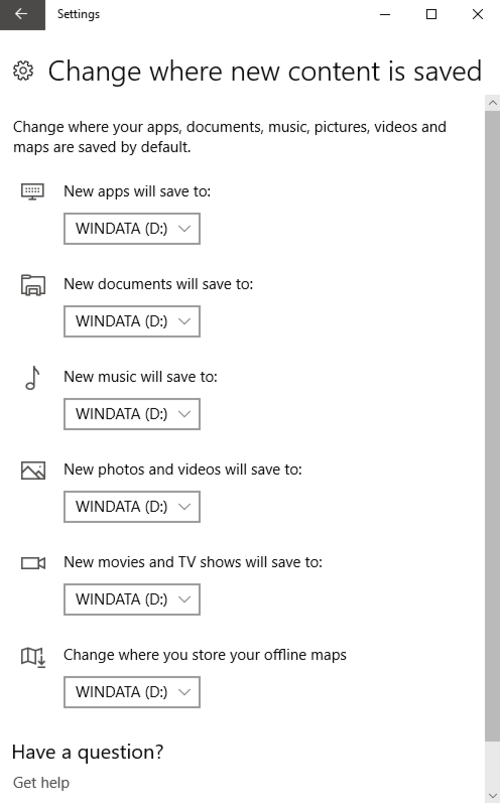
[/sociallocker]
And that concludes our moving the default folder in Windows 10 1709 topic, hope it brightens someone’s day.
 bipolar is-popular_