Moving The Default Folder in Windows 10 1709


In the previous article I already told how I overcame the lack of my Windows storage space (running on Boot Camp), now I want to share tips to avoid lack of space. I am writing this for one reason, it is because I didn’t know that moving the default folder in Windows 10 1709 is different from the version I used before the update. It used to be included in the Storage menu, but then it was gone.

Also, read here to read how to change Boot Camp tight space partition.

But thanks to Cortana who provided a lot of help through the search bar after I desperately tried to ask, “how can I change the default folder to save?”

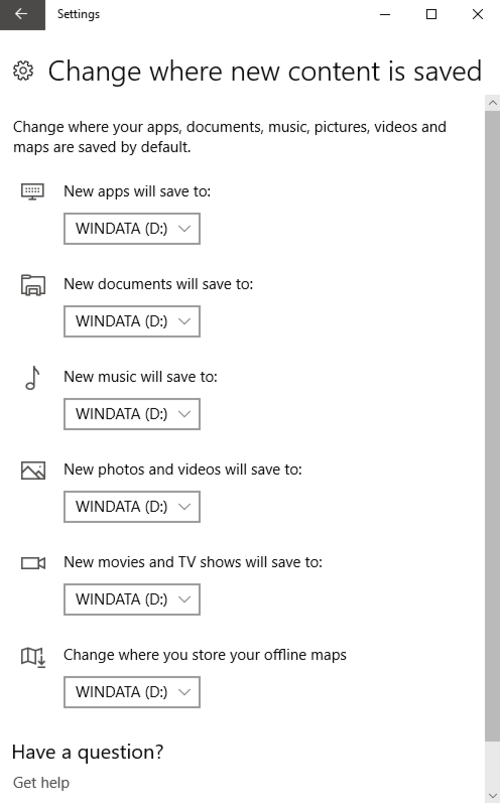
Apparently, the menu to change Windows 10 1709 default folder resides in: Setting > System > Storage > More Storage Settings, and then click on the submenu, “Change where new content is saved”.

You can change most of the movable folders safely using this option without risking any registry (I hope).


[sociallocker]


[/sociallocker]

And that concludes our moving the default folder in Windows 10 1709 topic, hope it brightens someone’s day.

Quote

The Easiest Way To Resize Boot Camp Partition


I am very confident that it is not just me who has ever run out of space in the storage where the Windows system is running, inside the Boot Camp partition for more details. For some reason, Mac just limit a bit of space for Windows installation via Boot Camp.

Also, read the reasons to switch to Windows from macOS.

And silly, there is no easy way to increase the space needed, for example to upgrade from Windows 7 to Windows 10.

I remember how I could freely set the size of the Boot Camp partition in my old eMac. Why not now?

At least, that’s what I thought before I found Paragon CampTune. Paragon CampTune “continues” what Apple should be able to do with their Boot Camp.

If the name, Paragon sounds familiar to you, that’s because you might have heard Paragon from its other softwares. Such as NTFS Reader and HFS Reader.

Let’s check the video to see how it works.

We can start using Paragon CampTune AFTER the Windows has been installed, and not right after the Boot Camp Assistant finished its job. However, the trial version only gave me extra 2 GB. That’s OK though, I only needed less than one GB to upgrade my Windows 7 to 10.

So, thank you for reading, because all you need is just this link.

Minimalist Free Writing Apps


Let’s Talk About Two Minimalist Free Writing Apps

I just wrote three of my favorite things as a heading. Minimalist, Free, and Writing. I was searching for good writing apps since I was just switched myself to Windows and writing on the web browser is not what I’m fond of. And then I found these two beautiful minimalist free writing apps. Let’s give them a try!

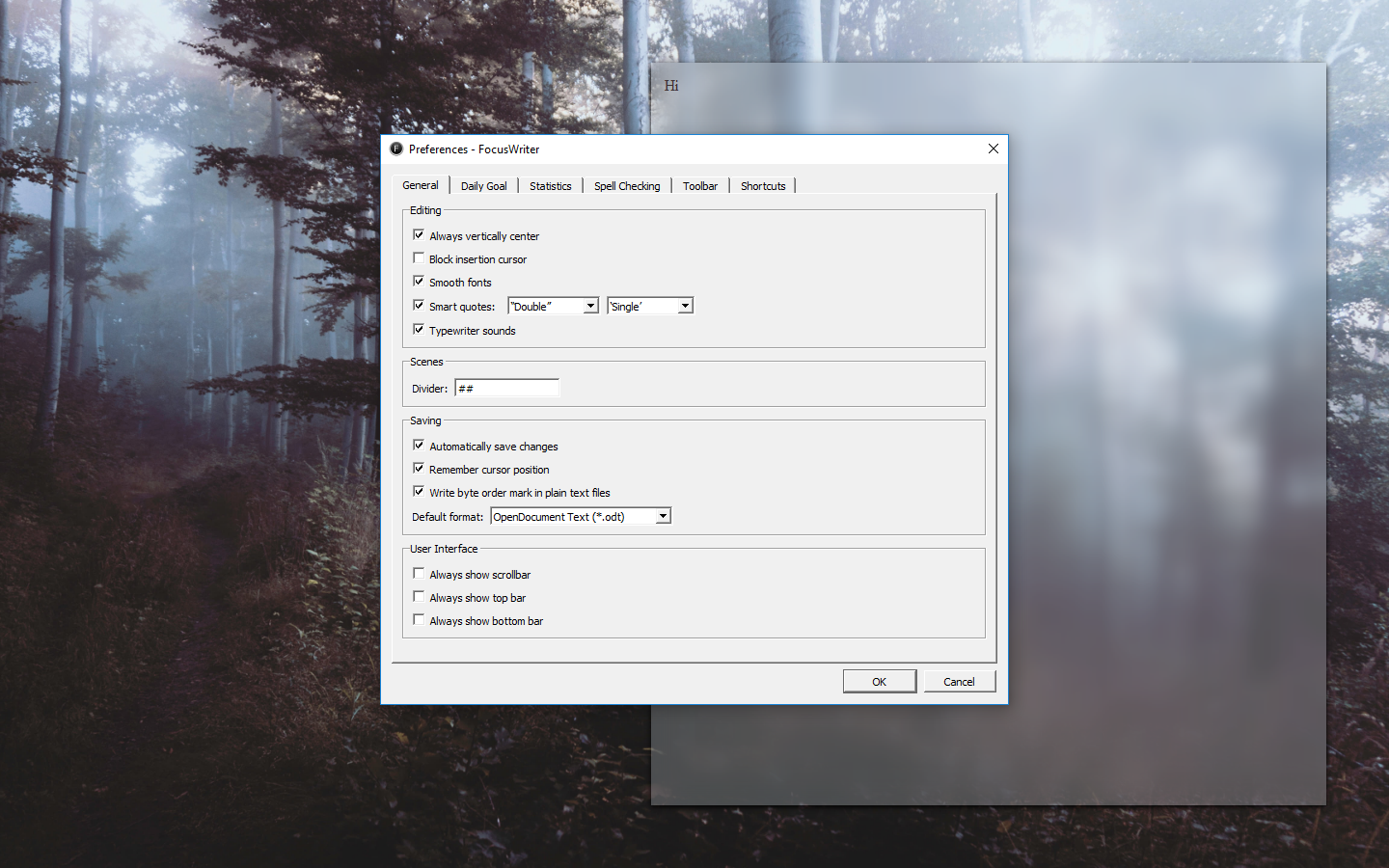
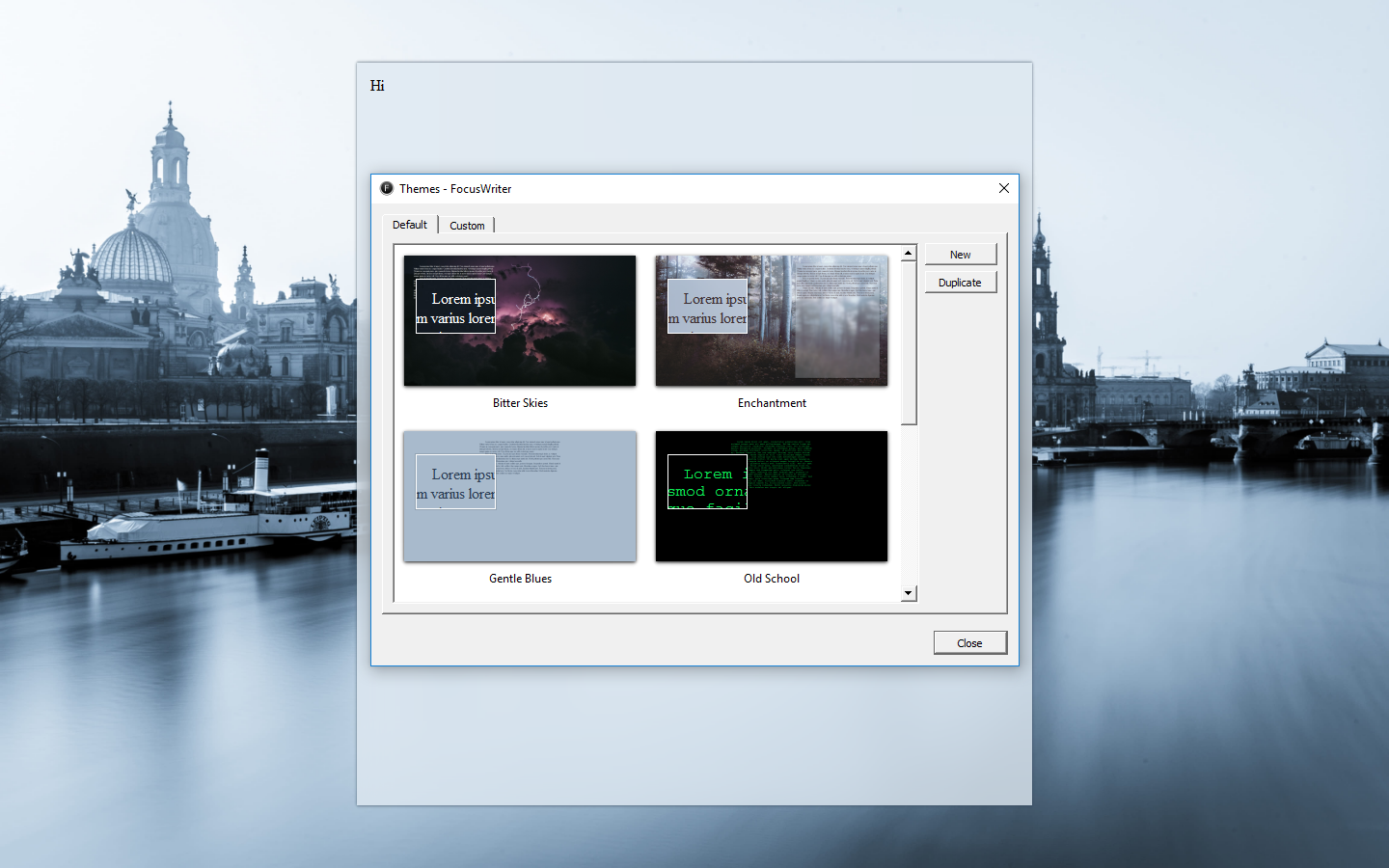
Hi This Is My First Time Writing on Focus Writer

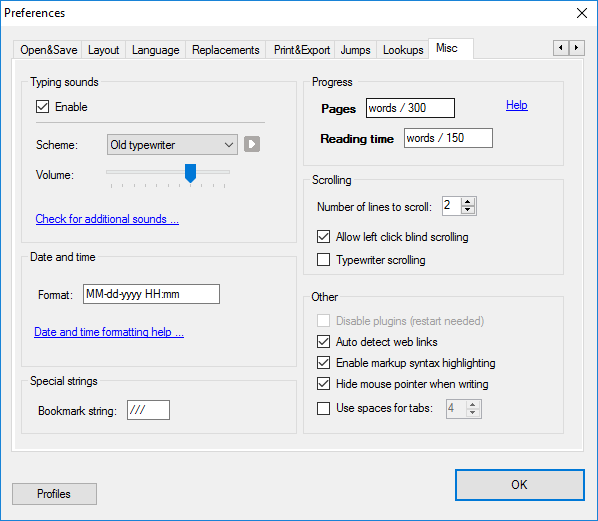
It feels “different” typing here from on other typing apps because it has sounds. A typewriter sound. The sound is delayed which give more realistic feeling to it. Feels like I’m typing on a real typewriter. It has no backspace sound, of course… traditional typewriter doesn’t have any backspace. But, I can still get the oldies sensation from the “enter” sound. What do people call it back then? Paragraph?

Writing here can be my new addiction. But sadly, it can’t send my writing directly to any blog I have. So, I will only experience this cool typing sensation here, and the next is to copy and paste my plain text to my blogs by myself.

It also doesn’t support markdown, so I guess I can call Focus Writer as a traditional typewriter emulation. A perfect one.

This Part is Written in WriteMonkey

WriteMonkey also entertains me with its realistic typewriter sound, even I like the one in Focus Writer.
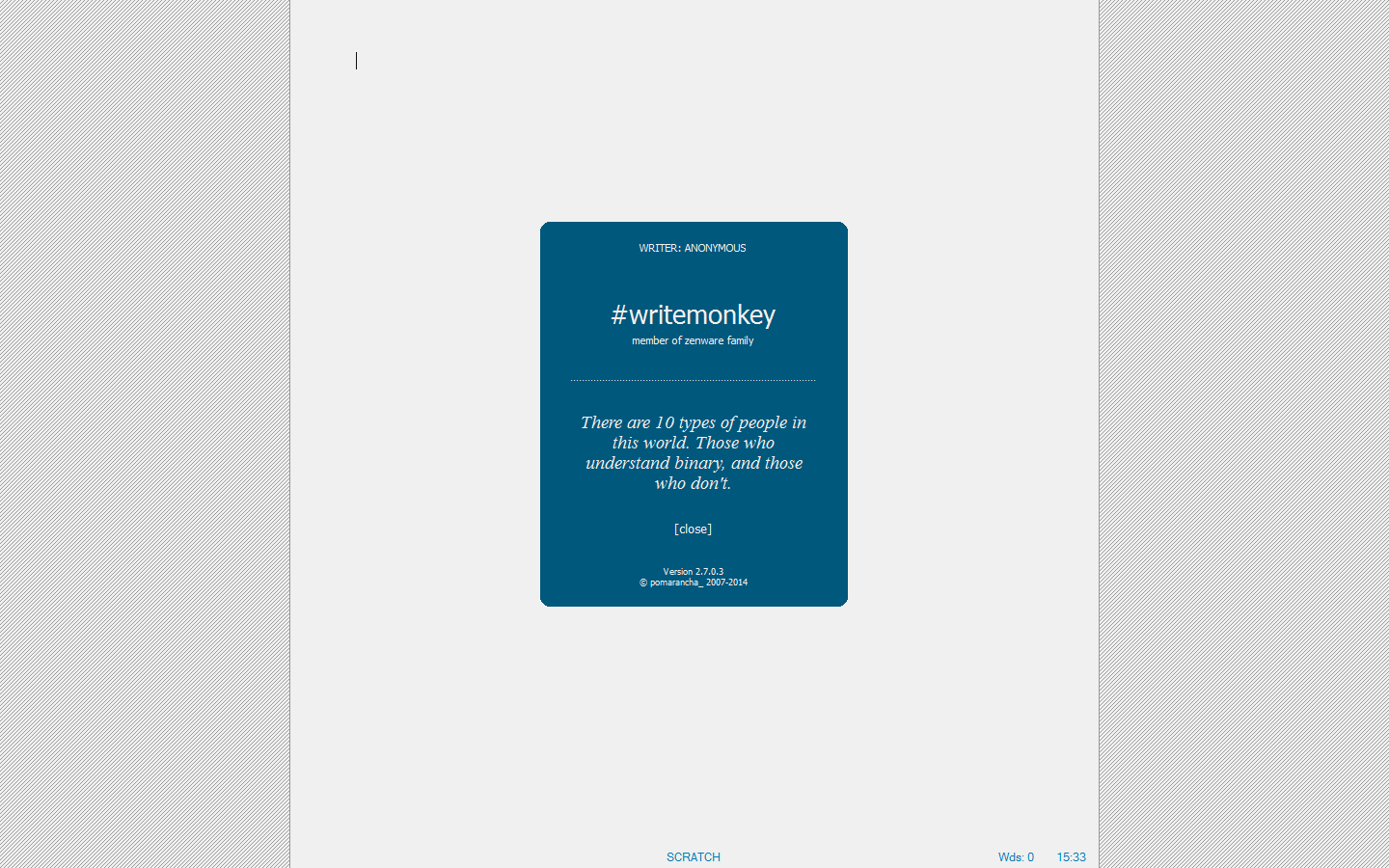
I was greeted with a splash screen with welcoming quotes when I first opened this application. And then… blank page in full screen.

It took me awhile for me to realize that I could access the menu by right-clicking my mouse. And there are **a lot** of hidden menus.

Markdown is supported in WriteMonkey, with a little adaptation, this can easily be everyone’s favorite writing software.
We can make a preview by exporting it to our installed [web browser](https://digressingme.cool). Sorry, that was me checking the Markdown for links.

[*Wondering what Markdown is? Read this article.*](https://digressingme.cool/markdown-markdown-editor-blog-writing/)

Now all I have to do is looking for the right and easy way to put this writing into [my blogs](https://digressingme.wordpress.com).

Conclusion

Both Focus Writer and WriteMonkey offer us minimalistic approach in writing with the maximal result. The only downside is that both have no direct way to put the texts into WordPress. But, the good news is, we can still paste our text to WordPress without losing the text format.

Get To Know Microsoft Edge and Microsoft Store


Microsoft Edge and Microsoft Store

Microsoft Edge is a sophisticated web browser that comes officially and exclusively with Windows 10. Like other high-end web browsers, Edge is also armed with extensions. Let’s now discuss Microsoft Edge and Microsoft Store as its extensions center.

It seems a bit weird if I’m switching to Windows but not trying Microsoft Edge. Yes, I upgraded my Windows 7 to 10 Windows earlier this morning because Windows 7 and 8 are no longer supported by Microsoft Store. And it means I will lost my chances to write about anything that I can find on the Microsoft Store.

The Microsoft Edge, as web browsers are quite beautiful in appearance, and I can tell you that the Microsoft Edge GUI is pretty unique. For example, when I download something, Microsoft Edge will show that it is doing the scanning and file to download which I downloaded. Wonderful isn’t it? But it’s a little time-consuming.

Extensions

Unfortunately, I cannot install some of my favorite extensions for compatibility reasons. Could this be so, since my Windows is running on a Bootcamp Mac partition, for example? But still, if in Chrome, Opera, and Firefox my favorite extensions work, why in Edge they don’t?

Anyway, all the products are mixed into the same store. It’s really complicating. Microsoft Store mixes products for Edge, mobile apps until XBox is here. Why don’t separate the products like the App Store do which although have the same name (both called App Store) but the content in the desktop version is different from the mobile version?

Visit Microsoft Store here.

Constraints

I sometimes get a warning when writing this article at the Microsoft Edge, something that says that there are activities that are too often. What?

Copy and pasting seemed pretty slow. I tend to paste twice because I thought the first one didn’t work.

This is Robohornet’s point for Edge:

RH-A1:0046.67
The RoboHornet index is normalized to 100 and roughly shows your browser’s performance compared to other modern browsers on reference hardware.


Make Bootable USB On Mac For Windows Installation


Today I replaced my SSD with Seagate HDD. Then I thought, why not make a switch to the operating system that I use? While I’m being diligent. My choice went to Windows 7 because it seems I have been absent for quite a while. And it seems Windows 7 will give me a lot of material to write. But, it turns out my last experience using Boot Camp is different from this time. I found it difficult to create a Live USB for Windows via Boot Camp. I couldn’t find the missing create Windows 7 install disk in order to make bootable USB. Fortunately, I found the answer soon.

After hundreds of cursing, I found the video below:

The way in the video was different when I applied on MacBook Pro mid-2010. However, in principle is the same, namely, to give permission for the info.plist file can we edit. You can get your Mac model in your About Mac.

The trick is:

  1. Restart while holding Cmd + R (this to restart to recovery mode).
  2. Select Terminal at the top bar.
  3. Type csrutil disable.
  4. Restart.
  5. Right click on Boot Camp icon in finder, then choose show package content.
  6. Right-click on the info.plist file and then look at the instruction video about what should be changed (before returning to the next step below).
  7. After changing the permissions, we can right-click the info.plist file to open it in Text Editor and then edit it.

Still not working? Try this tips…

This worked on “MacBookPro14,3” running High Sierra, but there is no DARequiredROMVersion in the info.plist, so instead I just added the Model Identifier (MacBookPro14,3) on ExternationInstall, USBBootSupported, PreWindows10OnlyModels drop down
PS: No matter what, based on my experience, I needed the internal DVD Drive attached  in my MacBook Pro in order to make bootable USB drive. That’s why I needed to replace my SSD (in caddy) with the original DVD Drive my MacBook came with.

Reasons To Switch To Windows 7 From Mac OS


Reasons To Switch To Windows 7 From Mac OS: There may be some who think that my action to move to Windows 7 from Mac OS is a counterproductive action. It could be so, but still, this is something I need to experience myself (and maybe you too). By the way, this is my second day using Windows that I installed on my Mid-2010 MacBook Pro.

Also, read about Boot Camp common problem to install Windows on a Mac (Missing Create Install Disk Menu)

If you ask me why I did not upgrade straight to Windows 10, my answer is that Boot Camp only suggested me to install between Windows 7 or Windows 8 (depends on MacBook type). I had a bad experience with Windows 8 (which I think is a generic version of Windows 10), so I will stick with Boot Camp suggestion.

Also, read about things to do after installing Windows on your Mac.

In addition to adjusting to the Cmd switch that switches to Ctrl, I also have to adjust to the placement of buttons above the application window. I have lost track of my cursor several times when I wanted to find the buttons.

Software installation process is more complicated. Unlike a Mac that only needs to open the disk image and move the app directly to the Apps folder, the installation in Windows is determined by the installer itself, where it will go and from where I can open it. The same thing happens with the uninstall process.

Please note that this is not a Mac vs PC article since I’m a proud user of both.

Customization

Years of using the Mac and all I got were two color options (graphite and blue), and that only changed a very small part of the display. Not surprising at all, given Apple always controls everything that happens to all its products, even in the front end though. With Windows, I can freely customize, although I keep changing it to a minimum, considering I’m forgetful and tend to forget what I was doing before when my Windows display suddenly became messy.

You can change your theme by typing “theme” in the Start Menu and click on “Change The Theme”.

Softwares Are Easier To Find

Softwares for Windows are easier to find both in online stores and in retail stores. In my neighborhood, there is a large mall of nearly ten Windows software vendors, and only one that sells Apple products, it is an iStore that focuses more on hardware sales. I think this is a bit troublesome because not all applications are in the App Store. And expecting real-time answers about the software in the App Store is something impossible.

And believe not if I say the workers on iStore use templates to answer their customers? I hardly ever get new knowledge from my conversation with them. All I get is the impression, “oh, it’s so true”. They only reinforce the facts I find, not the solutions. When I asked what difference the official OS would have with my OS downloaded from the internet, he simply replied, “The official one has a dock”. That’s a silly answer.

This is different from my experience in the Windows software store. Although they are not official stores, they have a myriad of answers to what I am asking.And even giving me more ideas of what that software is capable of.

More Compatible Hardware

Just like its hardware, Mac’s hardware is harder to find, and tend to be ridiculously more expensive. I can say that if we take an ashtray, put Apple logo on it, it can be sold for hundreds of dollars. I just find out that my USB Modem is still working earlier. I thought it was broken since it was not even detected on Mac.

Windows Computer More Easily Found

This is a scenario where I decided to go for a walk and the misfortunes that always with me decide to walk with me. I accidentally left my laptop and phone at home. Then suddenly a writing idea popped into my head, and I knew that I would forget to write anything if it was suspended for a while. I’m senile, mmm … or have I ever written about this before?

I only have one choice, find the nearest internet cafe! or go home I’m willing to bet, the majority of internet cafes will rent out PCs, and not Macs. At least that’s what I met here.

Then why is this a consideration? Yes, you know how difficult it is to change the habits on the computer? Different software and hand gestures will obviously hamper our productivity. Imagine how panicky and ridiculous if we forget to close our browser window because it uses the wrong hotkeys.

Any Random Guy Is Using Windows

I’ve had to deal with several technicians over the web that I use. And there is often a misunderstanding between me and the technician because he uses Windows. The same thing I encountered when I was looking for tutorials about an app. The screenshots shown are screenshots of Windows. Of course, it is not Apple’s fault that they have chosen Windows as their primary device to work. Possibly, this reason is also one of them.

Giving New Life

Just like installing Linux on my old MacBook Pro, installing Windows also gives new life for this old man. High Sierra is cool, stable, amazing (add yourself what you expect from an OS), but it feels heavy when running on my MacBook. To prevent too much oath I am computing, installing Windows is the best choice besides installing Linux. Especially, the cool Deepin Linux. 🙂

Also, read more about Deepin OS.

Saving on Hardware

Although I rarely find hardware constraints on my MacBook Pro, or almost never. But it would be nice if we can get insight from hardware constraints that we find. The answer to this hardware constraint is tantamount to the experience I encountered with software constraints. Answer the Mac technician we can guess, that is … replace with a new one!

If you’re like me, who has an “insider” acquaintance, you’re lucky enough not to have to replace all your MacBook pro lids just to overcome Wifi or Webcam constraints. This can be understood because Apple is a hardware manufacturer, and they sell Apple Care to guarantee the performance of its products.

This also happens if you use Windows on MacBook Pro or other Macs. Inevitably we have to take care of our hardware constraints to Apple’s official branch. However, if you use Windows on PC… congratulations, you have a lot of advantages and savings if one of your PC components is troubled.

Click here to read about how to resurrect your old MacBook.

Things To Do After Installing Windows on Mac


In the previous article, we have discussed how to install Windows on our Mac. For Windows users, of course, the various rituals that must be done after making a fresh install of Windows is a common thing. However, this ritual can be a daunting thing for Mac users who are used to using their computers out of the box. That’s why I make the list of things to do after installing Windows on Mac.

Missing Create Windows 7 Install Disk menu? Click here to solve it.

Here’s a list of things to do after installing Windows on Mac:

Downloading Boot Camp Support Softwares / Drivers

If you haven’t done so in the previous step, downloading Boot Camp is crucial, since it contains all the drivers you need in order to make your Windows runs properly. But, be sure to check which version suits your Mac since it’s divided into older and newer Mac sections.

Get Boot Camp Support Software here.

Installing The Drivers

In my scenario, even the WIFI was not working. So, my only option is to rely on the driver comes with the Support Softwares. The Boot Camp Support Softwares is packed into a .zip file. So, unzip it and run the auto setup. It’s easier and safer.

Add Extra Protection

It’s been two decades that Windows users are switching to Mac for this one reason, although I’m not sure it’s still a problem now. But we can not be too careful. We need to install Hotspot Shield, especially if most of your activities are surfing the internet like I do on daily basis.

Changing The Language

This sounds like a no-brainer task, but it’s often got overlooked and realized right after the first Welcome appears on the screen. Fortunately, you can get your solution by going here and install the language you need.

Get New Web Browser

I always use Internet Explorer to navigate me to another (and better) web browser. There are so many choices to pick, all with one thing in common, better than Internet Explorer (even Edge). You can read more about me benchmarking 15 web browsers here.

Umm, Virus?

I am a lover of free stuff, well, maybe me and billions of others. And it is no exception for the selection of antivirus. Yes, a frightening specter that Apple users always proud to feel superior to PC users. Just like my reason for installing HotSpot Shield, I chose to use Avira. This Anti Virus has existed since a decade ago. An old fighter can get old for a reason, is not it?

Moreover, Avira also provides a variety of free tools here after you register to be a member.